..
[Spring Basic] 1. project setting
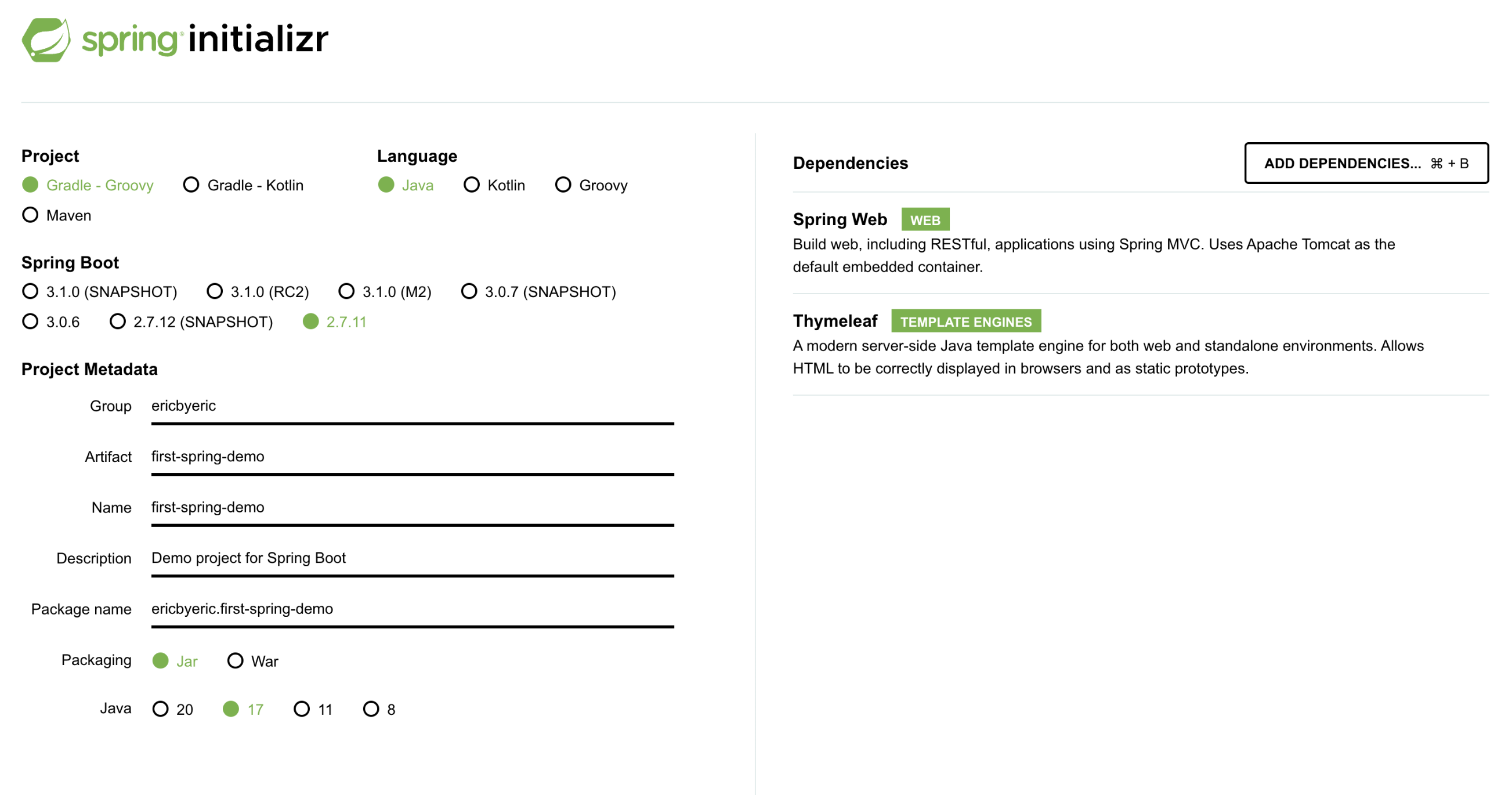
1. Project Creation
- https://start.spring.io
- Spring boot 기반 Spring 프로젝트를 생성해주는 사이트
- Project Metadata
- groupId : 프로젝트를 정의하는 고유한 식별자 정보 ( 큰 틀 - 회사명 )
- artifactId : jar 파일 이름 ( 작은 틀 - 주문 정산, 월급 정산)
- Dependency Install
- Spring Web
- Thymeleaf (template engine)
2. View Setting
Static View
- resource/static/index.html
- Spring boot default welcome page
Thymeleaf Template Engine
Controller
- Web app의 첫 진입점이 Controller이다.
- @GetMapping - http get 방식
java/ericbyeric/springbasic/controller/HelloController.java
@Controller
	public class HelloController {

	@GetMapping("hello")
	public String hello(Model model) {
		model.addAttribute("data", "hello!!");  //attributeName, attributeValue
		return "hello";
	}
}
View
- Controller에서 받은 value
hello!!가${data}로 치환된다
resources/templates/hello.html
<!DOCTYPE HTML>
<html xmlns:th="http://www.thymeleaf.org">
<head>
	<title>Hello</title>
	<meta http-equiv="Content-Type" content="text/html; charset=UTF-8" />
</head>
<body>
	<p th:text="'안녕하세요. ' + ${data}" >안녕하세요. 손님</p>
</body>
</html>
Thymeleaf Template Enging 동작 확인
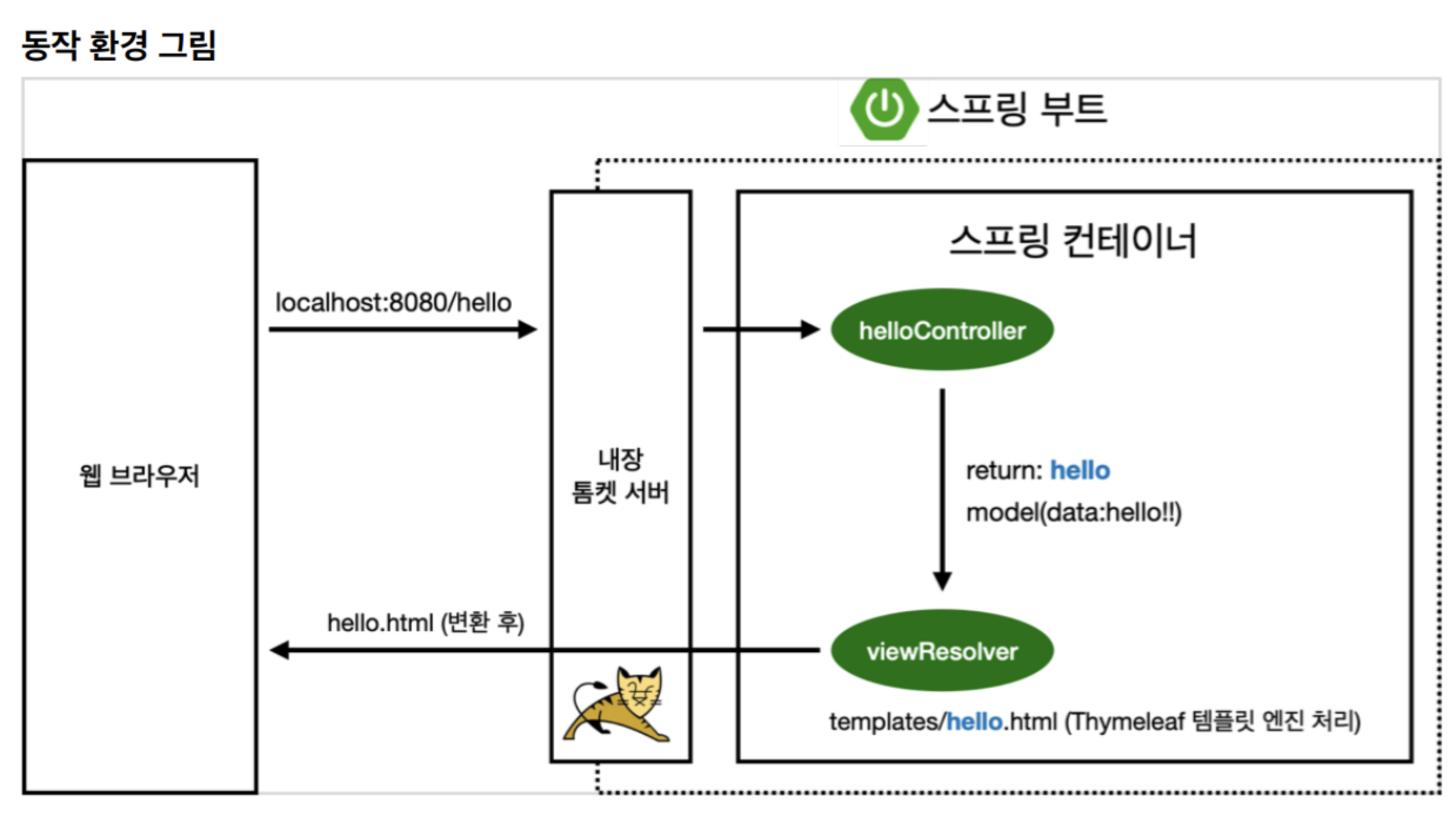
- Spring boot는 tomcat 서버를 내장하고 있다
localhost:8080/hello로 접속(요청이 들어오면)하면 Controller에서GetMapping("hello")아래의 함수를 실행한다.- Controller에서 문자열을 반환.(문자열은 매핑할 view의 이름)
ViewResolver가 viewName (e.g., hello)을 매핑해서 화면을 찾아 처리(렌더링)한다.- resource:template/ + (ViewName) + .html
3. Build and execute java project
Under spring-basic folder
./gradlew build
cd build/libs
java -jar hello-spring-0.0.1-SNAPSHOT.jar
Clean build
./gradlew clean build
cd build/libs
java -jar first-spring-demo-0.0.1-SNAPSHOT.jar