..
[Spring Basic] 2. Spring Web Development Basic
Table of contents
- Static Content
- MVC and Template Engine
- Controller
- View
- 실행
- MVC, Template Engine 이미지
- API
- 문자 반환
- 객체 반환
- 실행
- @ResponseBody 사용 원리
Static Content
- 서버에서 다른 작업 없이 파일을 그대로 내려주는 View
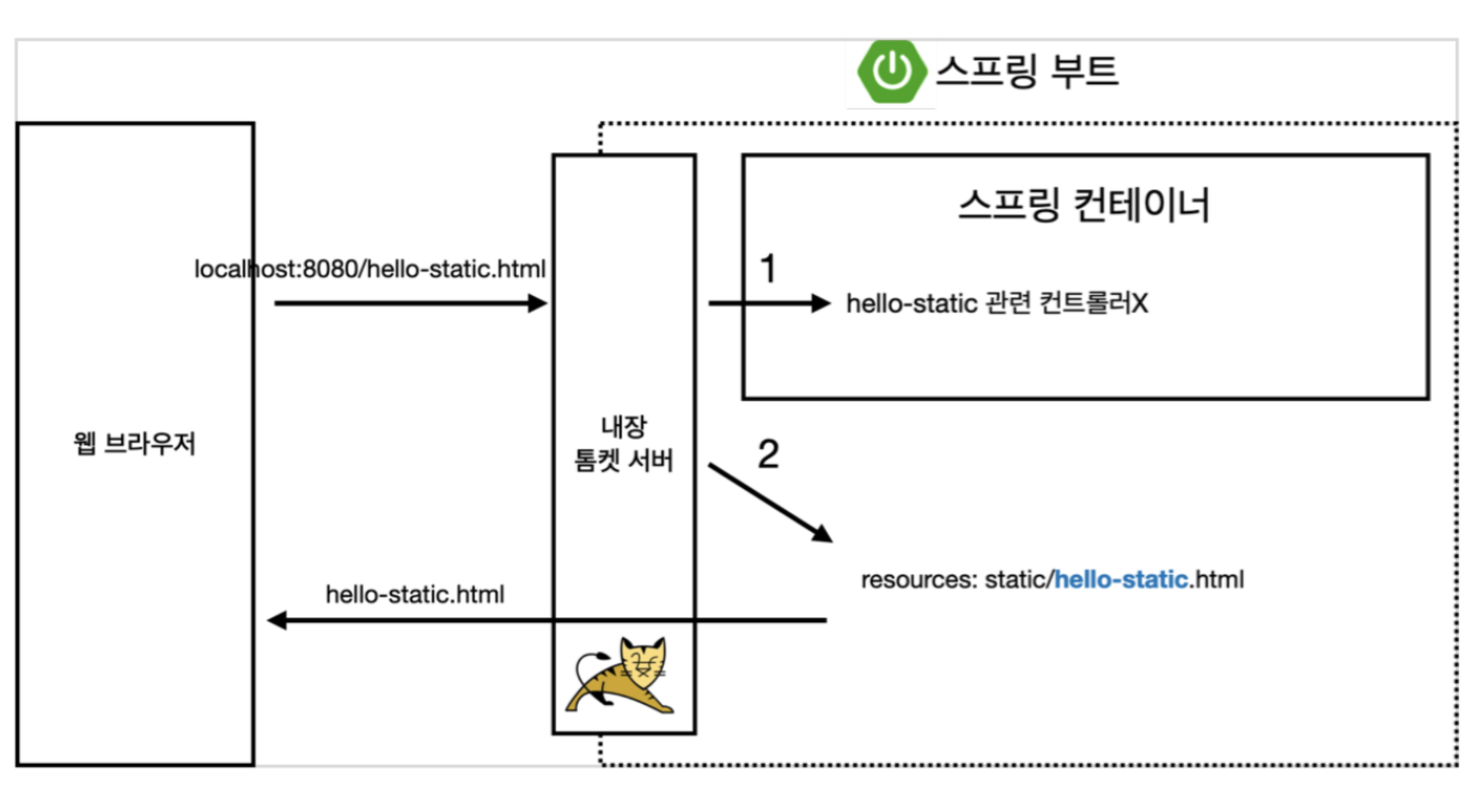
- URI 요청에서 관련 Controller가 Spring Container에 등록이 안되어 있으면 Tomcat서버에서
resources:template/{ViewName}.html로 바로 찾아 들어가 static view를 웹 브라우저에 반환한다.
MVC and Template Engine
- MVC : Model, View, Controller
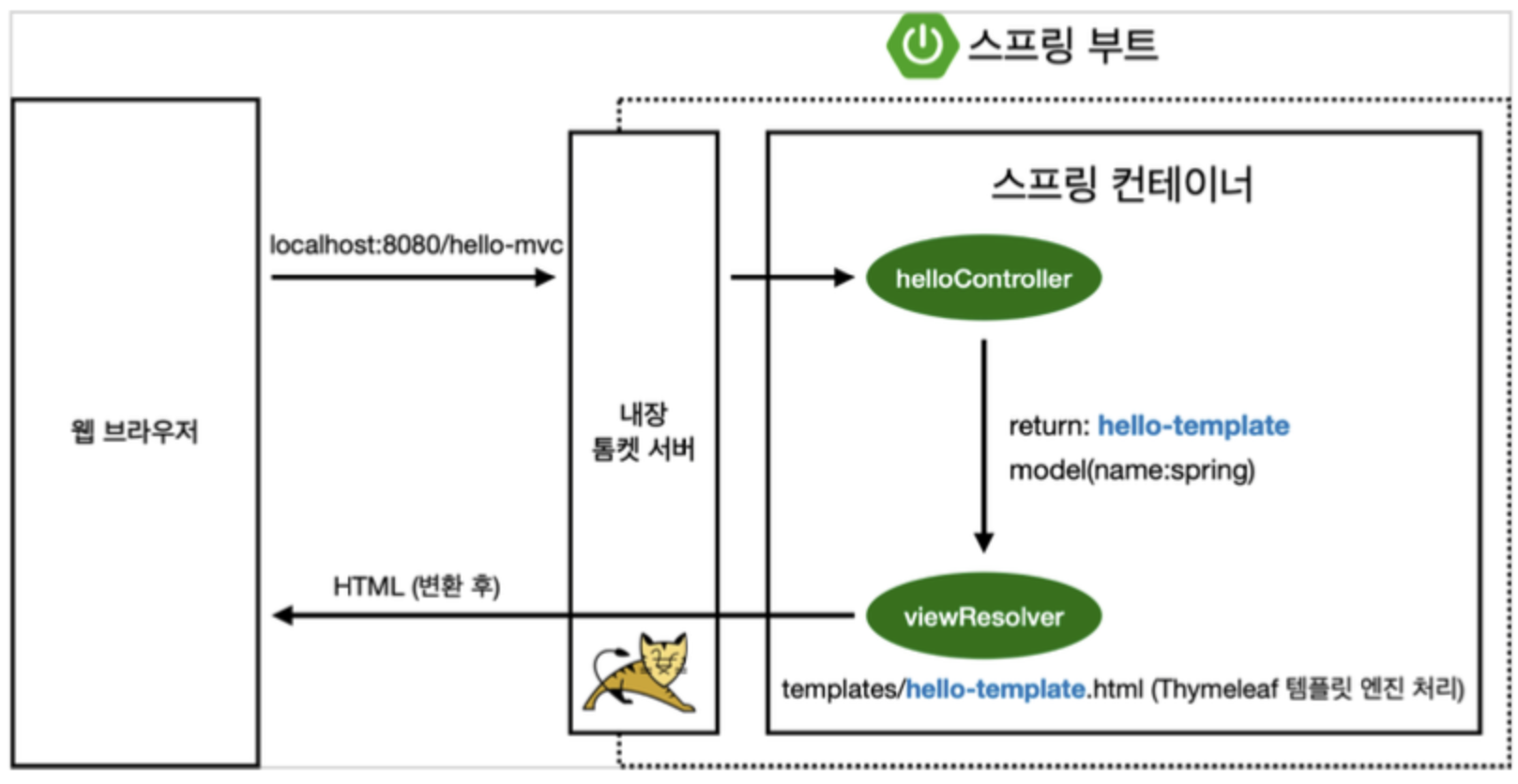
- Templage Engine을 Model, View, Controller 방식으로 쪼개서 View를 좀더 렌더링 후 고객에게 전달한다.
Controller
java/ericbyeric/springbasic/controller/HelloController.java
  @Controller  public class HelloController {

      @GetMapping("hello-mvc")
      public String helloMvc(@RequestParam(value = "name", required = true) String name, Model model) {

          model.addAttribute("name", name);

          return "hello-template";
      }

}
URL: localhost:8080/hello-mvc?name=eric
View
resources/templates/hello-template.html
<html xmlns:th="http://www.thymeleaf.org">
  <body>
	  <p th:text="'hello ' + ${name}">hello! empty</p>
  </body
</html>
실행
- http://localhost:8080/hello-mvc?name=spring
MVC, Template Engine 이미지
API
- 요청에 따라 데이터를 반환.
- 문자반환, 객체 반환이 있다.
- 실무에서는 주로 객체 반환을 이용.
문자 반환
- @ResponseBody 문자 반환
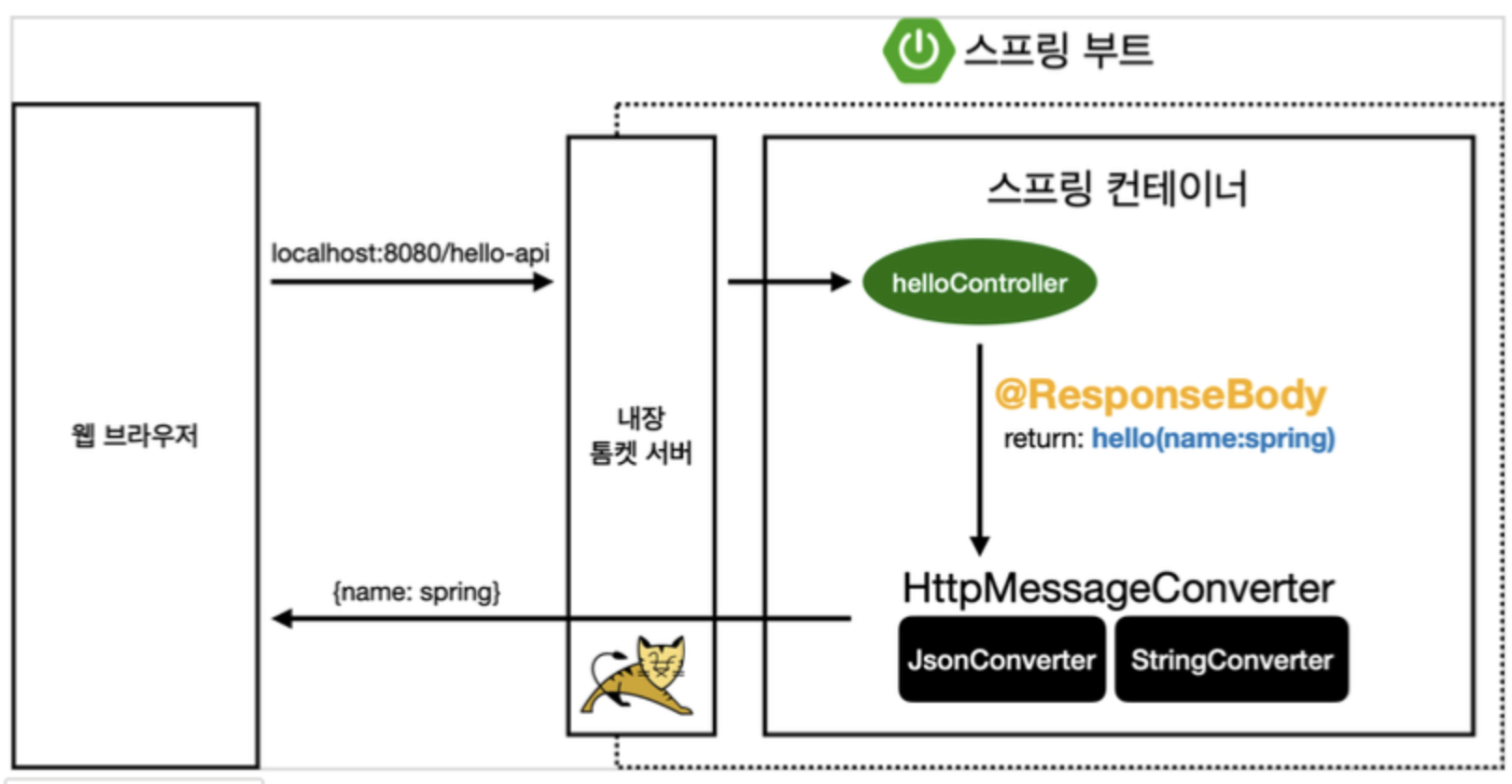
- HTTP body부에 데이터를 직접 넣어주겠다
- @ResponseBody를 사용하면 viewResolver를 사용하지 않는다, 대신 HTTP의 BODY에 문자 내용을 직접 반환 (templage engine과의 차이) ```java @Controller public class HelloController {
@GetMapping(“hello-string”) @ResponseBody public String helloString(@RequestParam(“name”) String name) {
return "hello " + name; }
}
- View없이 문자가 그대로 전달된다.

> 이방식은 거의 안쓴다.. 대신 밑에 **객체 반환 방식**을 훨씬 많이 쓴다.


### 객체 반환

```java
@Controller

  public class HelloController {

      @GetMapping("hello-api")
      @ResponseBody
      public Hello helloApi(@RequestParam("name") String name) {

          Hello hello = new Hello();
          hello.setName(name);
          return hello;
      }

      static class Hello {

          private String name;

          public String getName() {
              return name;
		  }

          public void setName(String name) {
              this.name = name;
		  }
	  }
}
실행
- http://localhost:8080/hello-api?name=eric

@ResponseBody 사용 원리
@ResponseBody
- HTTP의 Body에 문자 내용을 반환 HttpMessageConverter가 동작 (ViewResolver가 동작하는 대신)
- 기본 문자처리: StringConverter (StringHttpMessageConverter)
- 기본 객체처리: JsonConverter (MappingJackson2HttpMessageConverter)
HTTP Accept 헤더와 서버의 컨트롤러 반환 타입 정보 둘을 조합해서
HttpMessageConverter가 선택된다.